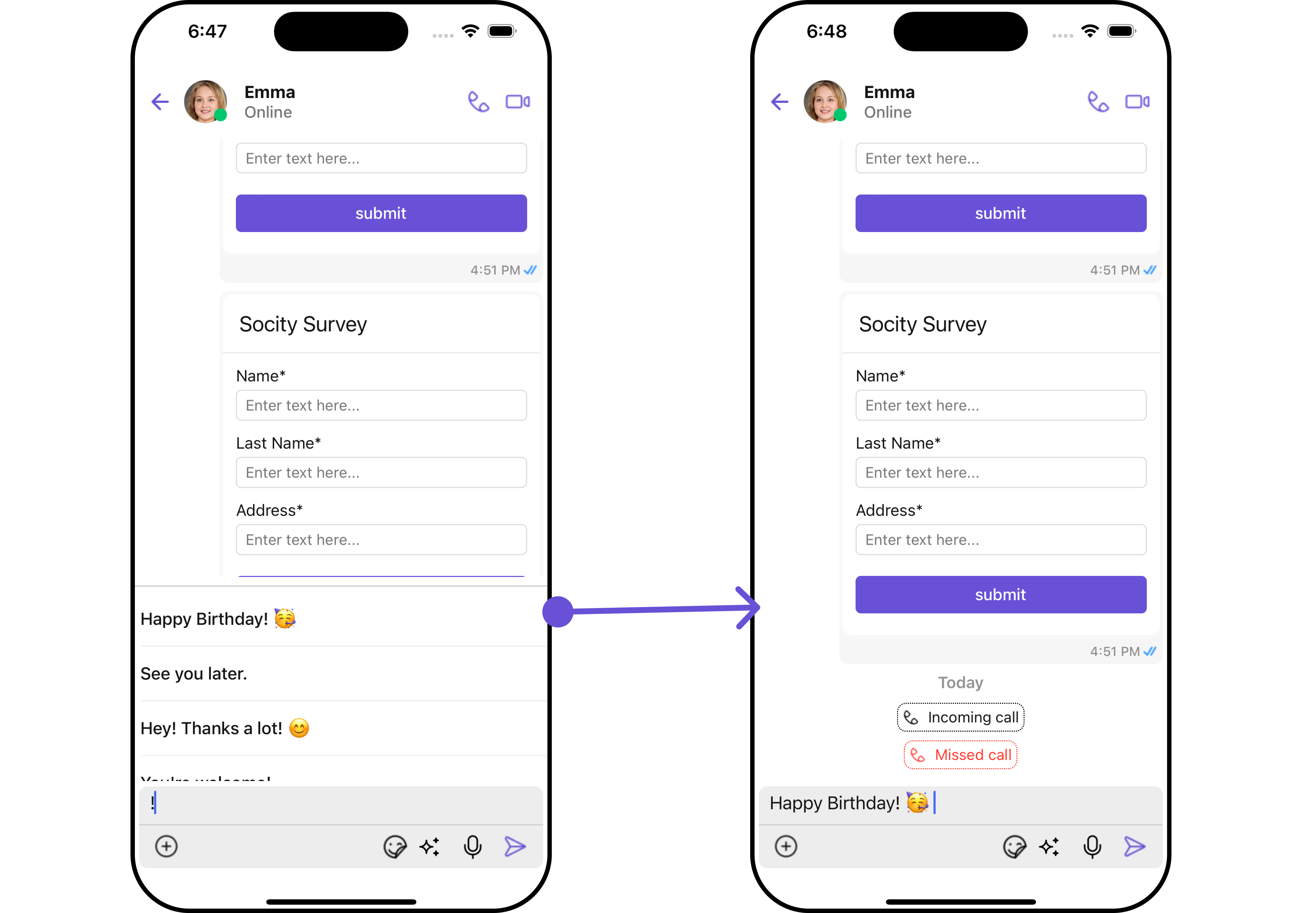
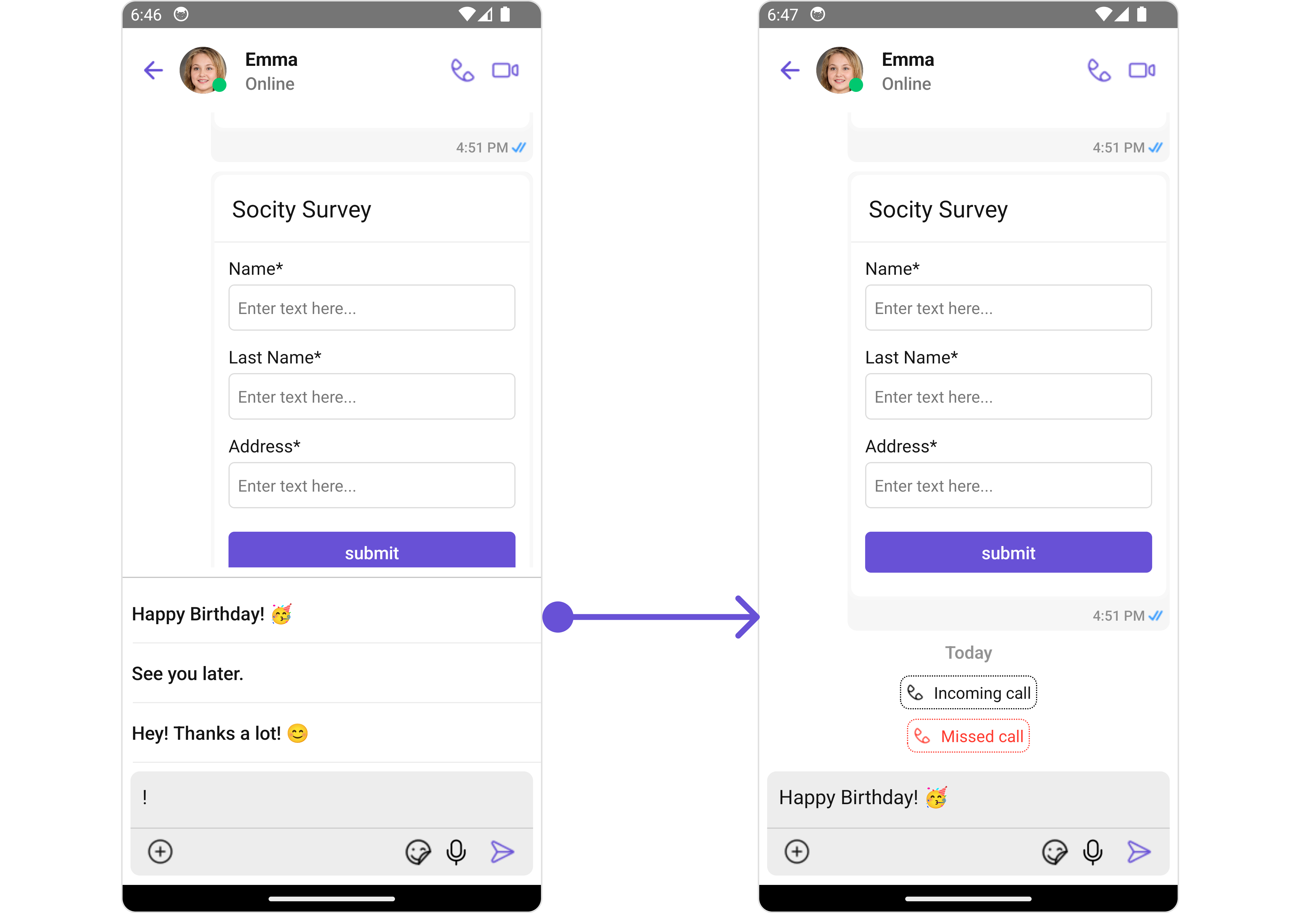
Quick Reference for AI Agents & Developers
import { CometChatTextFormatter, SuggestionItem } from "@cometchat/chat-uikit-react-native";

// Create custom ShortCutFormatter extending CometChatTextFormatter
class ShortCutFormatter extends CometChatTextFormatter {
  constructor() {
    super();
    this.trackCharacter = "!"; // Trigger character for shortcuts
  }
}

// Use with Message Composer
const shortcutFormatter = new ShortCutFormatter();
<CometChatMessages
  user={chatUser}
  messageComposerConfiguration={{ textFormatters: [shortcutFormatter] }}
/>
This guide covers: ShortCutFormatter Setup | Search Method Override | Usage with Messages

Introduction

The ShortCutFormatter class extends the CometChatTextFormatter class to provide a mechanism for handling shortcuts within messages. This guide will walk you through the process of using ShortCutFormatter to implement shortcut extensions in your CometChat application.

Setup

  1. Create the ShortCutFormatter Class: Define the ShortCutFormatter class by extending the CometChatTextFormatter class.
import { CometChat } from "@cometchat/chat-sdk-react-native";
import {
  CometChatTextFormatter,
  SuggestionItem,
} from "@cometchat/chat-uikit-react-native";

export class ShortCutFormatter extends CometChatTextFormatter {
  constructor() {
    super();
    this.trackCharacter = "!";
  }
}
  1. Override Search Method: Override the search() method to search for shortcuts based on the entered search text.
search = (searchKey: string) => {
  let data: Array<SuggestionItem> = [];

  CometChat.callExtension("message-shortcuts", "GET", "v1/fetch", undefined)
    .then((data: any) => {
      if (data && data?.shortcuts) {
        let suggestionData = Object.keys(data.shortcuts).map((key) => {
          return new SuggestionItem({
            id: key,
            name: data.shortcuts[key],
            promptText: data.shortcuts[key],
            trackingCharacter: "!",
            underlyingText: data.shortcuts[key],
          });
        });
        this.setSearchData(suggestionData); // setting data in setSearchData();
      }
    })
    .catch((error) => {
      // Some error occured
    });

  this.setSearchData(data);
};

// return null in fetchNext, if there's no pagination.
fetchNext = () => {
  return null;
};

Usage

  1. Initialization: Initialize an instance of ShortCutFormatter in your application.
import React from "react";
import { CometChat } from "@cometchat/chat-sdk-react-native";
import {
  CometChatMessages,
  CometChatMentionsFormatter,
} from "@cometchat/chat-uikit-react-native";

function App(): React.JSX.Element {
  const [chatUser, setChatUser] = React.useState<CometChat.User | undefined>();

  React.useEffect(() => {
    CometChat.getUser("uid").then((user) => {
      setChatUser(user);
    });
  }, []);

  const shortcutFormatter = new ShortCutFormatter();

  return (
    <>
      {chatUser && (
        <CometChatMessages
          user={chatUser}
          messageComposerConfiguration={{ textFormatters: [shortcutFormatter] }}
        />
      )}
    </>
  );
}

Example

Image

Next Steps